Power Automate · Planning guide
Move repeatable work into governed automation
Identify repeatable workflows, set governance boundaries, and measure the value of Power Automate before scaling automation.
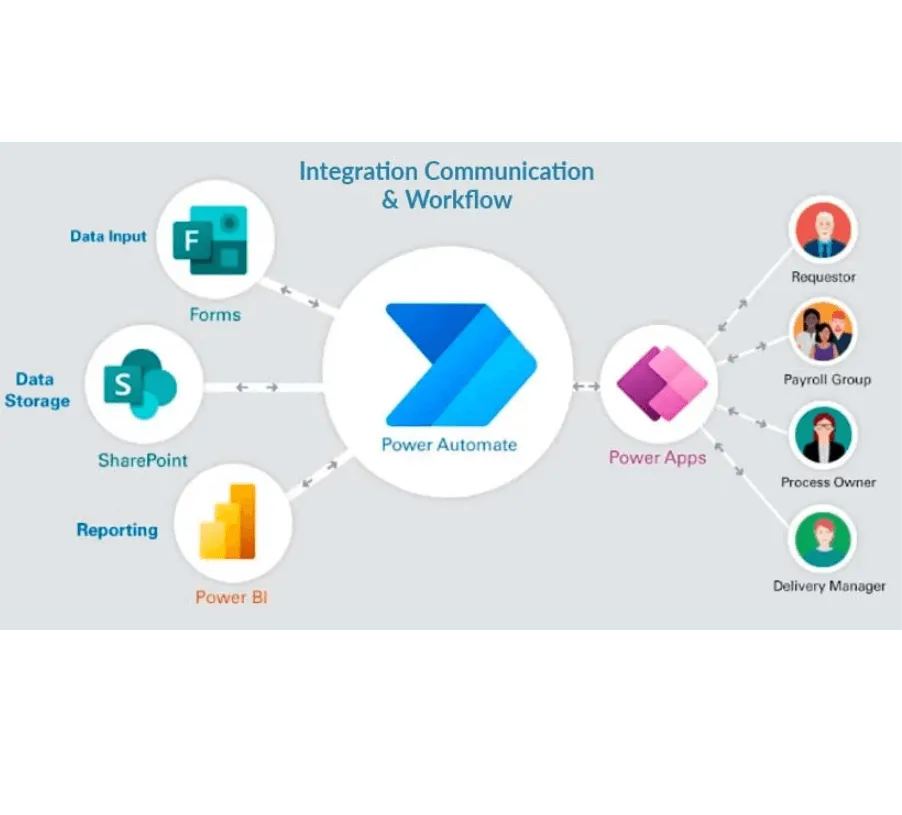
Microsoft Power Automate connects triggers, actions, approvals, and business systems through cloud flows and desktop automation. It can remove repeated handoffs when the underlying process is understood.
Automation also makes mistakes repeatable. Begin with a stable process and an owner who can decide how exceptions should work.
Choose the right first workflow
Look for work with a clear start, structured inputs, repeatable rules, and a measurable result. Good candidates often involve notifications, approvals, file handling, data entry, or moving a case between systems.
Avoid a first workflow that depends on undocumented judgment or changes every week. Clarify the process before automating it.
Map the full path
Write down:
- the trigger and the identity that receives it
- every source and destination system
- the rule for each branch
- the user or service behind each connection
- retry, timeout, and duplicate behaviour
- the person who handles an exception
- retention and audit requirements
The Power Automate documentation describes current flow types and product behaviour. Check connector-specific limits as part of the design.
Set governance before more makers arrive
Use separate environments for development, test, and production when the risk warrants it. Control who can create, share, change, and run flows.
Microsoft’s Power Platform data-policy guidance explains how connector groups and blocked connectors reduce unintended data movement. Policy changes can affect existing resources, so plan review and rollout.
Connection ownership also matters. A production flow should not fail because an employee leaves or a personal credential expires without notice.
Design the failure path
A successful demonstration usually shows the happy path. Production needs duplicate detection, retries, timeouts, rejected inputs, partial completion, and a safe replay process.
Log enough context to find the failed business item without exposing sensitive data. Alert the team that can act, and state when manual processing should resume.
Measure the process, not the flow count
Compare completion time, waiting time, rework, exceptions, support effort, and control failures with the original process. Include licensing and maintenance work in the cost.
The original 2025 infographic used commissioned-study figures and time-sensitive partner credentials. Those claims are not repeated here because they were not verified for this update. Its old download route now redirects to the current app-services page, so the infographic is not presented as an active download.
Scale the workflow only when its normal and failure paths are both supportable.

Data Engineering
SharePoint Data Ingestion with Azure Logic Apps
Design a SharePoint-to-Azure file workflow with controlled triggers, least-privilege access, validation, monitoring, and recovery.
Data Engineering
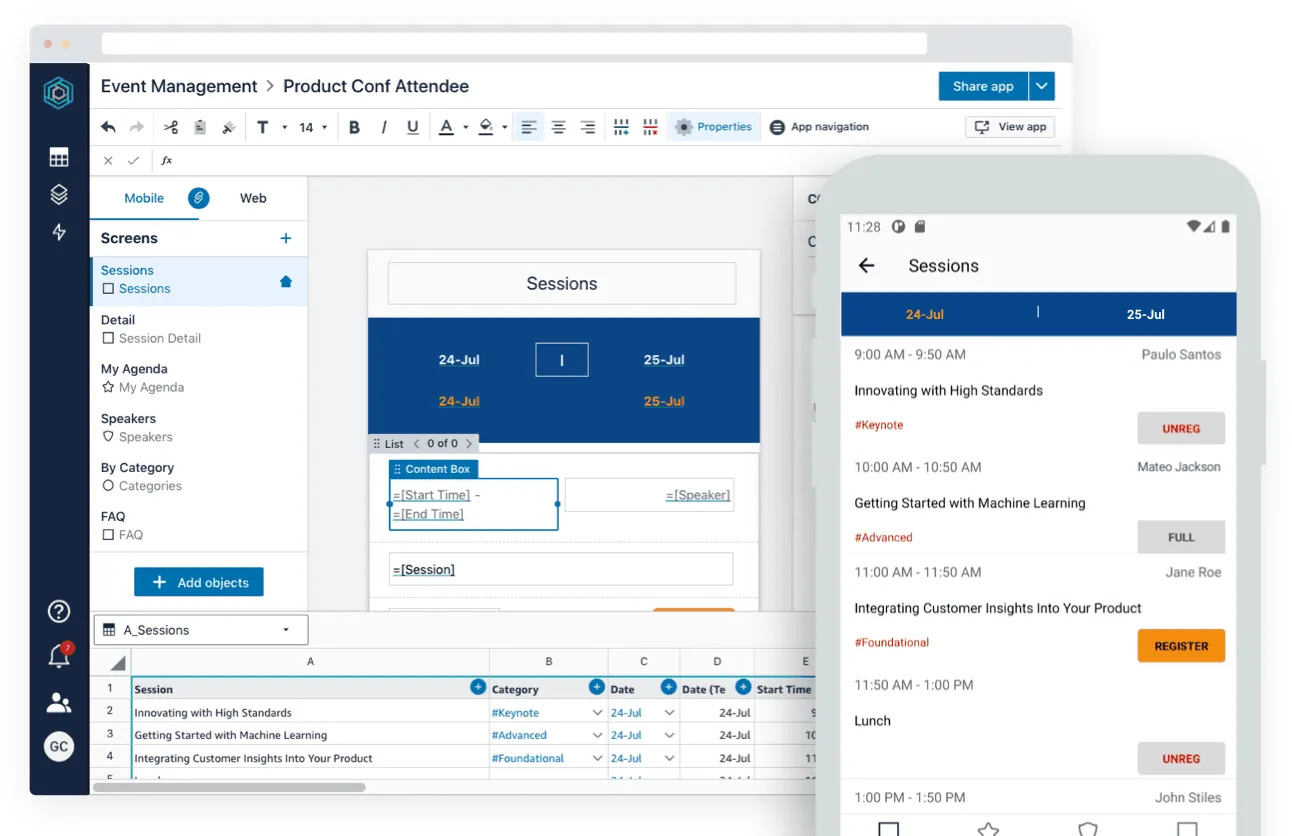
No-Code Business Apps: Power Apps and Honeycode
A historical look at when no-code tools fit internal business apps, how platform pricing changes the decision, and where custom code remains useful.

AI
Generative AI on Azure: A Practical eBook
Review a 2024 guide to Azure generative AI use cases, deployment choices, data safeguards, and operational readiness.
Planning a Power Automate workflow?
Define the process boundary, connection owners, and failure path before you build.
'%3e%3cpath%20style='%20stroke:none;fill-rule:nonzero;fill:%230078d4;fill-opacity:1;'%20d='M%20130.835938%200.808594%20L%20246.300781%200.808594%20L%20126.433594%20355.867188%20C%20125.824219%20357.679688%20124.929688%20359.386719%20123.792969%20360.925781%20C%20122.65625%20362.46875%20121.285156%20363.816406%20119.726562%20364.933594%20C%20118.171875%20366.050781%20116.457031%20366.917969%20114.628906%20367.5%20C%20112.804688%20368.085938%20110.902344%20368.386719%20108.992188%20368.386719%20L%2019.128906%20368.386719%20C%2016.214844%20368.386719%2013.335938%20367.695312%2010.742188%20366.359375%20C%208.144531%20365.03125%205.902344%20363.097656%204.199219%20360.726562%20C%202.496094%20358.355469%201.382812%20355.613281%200.949219%20352.730469%20C%200.515625%20349.84375%200.78125%20346.894531%201.710938%20344.132812%20L%20113.386719%2013.320312%20C%20113.996094%2011.507812%20114.890625%209.800781%20116.03125%208.261719%20C%20117.167969%206.722656%20118.542969%205.371094%20120.09375%204.253906%20C%20121.648438%203.140625%20123.367188%202.273438%20125.191406%201.6875%20C%20127.015625%201.101562%20128.917969%200.800781%20130.832031%200.800781%20L%20130.832031%200.804688%20Z%20M%20130.835938%200.808594%20'%3e%3c/path%3e%3c/g%3e%3cg%20clip-rule='nonzero'%20clip-path='url(%23b1ce87f571)'%3e%3cpath%20style='%20stroke:none;fill-rule:nonzero;fill:%2302b2fe;fill-opacity:1;'%20d='M%20485.054688%200.800781%20L%20404.832031%200.800781%20C%20391.472656%200.800781%20380.636719%2011.625%20380.636719%2024.976562%20L%20380.636719%20316.339844%20L%20278.34375%2013.316406%20C%20278.03125%2012.417969%20277.679688%2011.5625%20277.210938%2010.703125%20C%20276.78125%209.84375%20276.273438%209.027344%20275.6875%208.246094%20C%20275.414062%207.855469%20275.101562%207.503906%20274.792969%207.15625%20C%20274.441406%206.765625%20274.128906%206.414062%20273.777344%206.101562%20C%20273.113281%205.402344%20272.410156%204.816406%20271.628906%204.269531%20C%20270.070312%203.140625%20268.351562%202.28125%20266.558594%201.695312%20C%20264.722656%201.113281%20262.8125%200.800781%20260.898438%200.800781%20L%20132.210938%200.800781%20C%20134.121094%200.800781%20136.03125%201.113281%20137.867188%201.695312%20C%20139.660156%202.28125%20141.378906%203.140625%20142.941406%204.269531%20C%20145.671875%206.21875%20147.816406%208.871094%20149.144531%2011.949219%20C%20149.222656%2012.144531%20149.300781%2012.300781%20149.339844%2012.496094%20C%20149.457031%2012.769531%20149.574219%2013.042969%20149.652344%2013.316406%20L%20261.328125%20344.128906%20C%20261.367188%20344.246094%20261.40625%20344.363281%20261.40625%20344.480469%20L%20265.269531%20355.863281%20C%20265.894531%20357.695312%20266.792969%20359.375%20267.921875%20360.933594%20C%20269.054688%20362.453125%20270.421875%20363.816406%20271.980469%20364.949219%20C%20273.542969%20366.039062%20275.257812%20366.898438%20277.054688%20367.484375%20C%20278.886719%20368.066406%20280.800781%20368.378906%20282.710938%20368.378906%20L%20404.660156%20368.378906%20C%20404.71875%20368.378906%20404.773438%20368.386719%20404.832031%20368.386719%20L%20485.054688%20368.386719%20C%20498.417969%20368.386719%20509.25%20357.566406%20509.25%20344.214844%20L%20509.25%2024.976562%20C%20509.25%2011.625%20498.417969%200.800781%20485.054688%200.800781%20Z%20M%20485.054688%200.800781%20'%3e%3c/path%3e%3c/g%3e%3c/g%3e%3c/svg%3e)










