Microsoft 365 Copilot · SMB rollout
Put Microsoft 365 Copilot to work in your small business
See where Microsoft 365 Copilot can help small teams draft, summarise, analyse data, and prepare for a practical rollout.
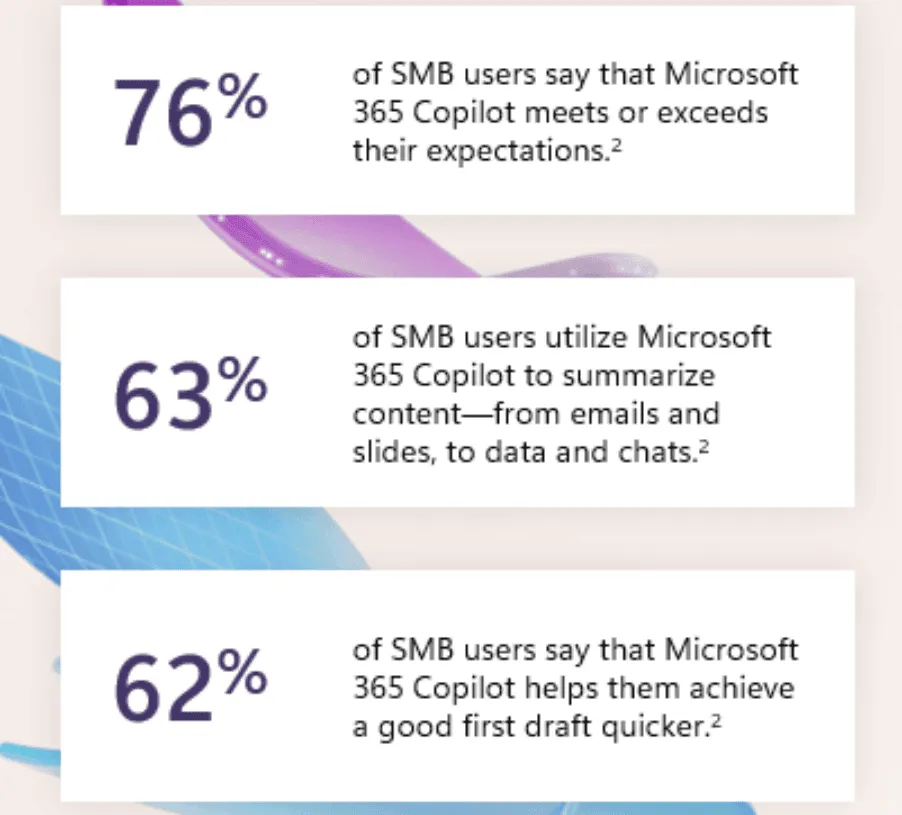
Microsoft 365 Copilot can reduce drafting, summarising, and information-retrieval work when a team already uses Microsoft 365. The value depends on licensing, data access, task choice, and review. It does not arrive as an automatic productivity result.
Confirm licensing and eligibility first
Microsoft documents Copilot Business as an add-on for eligible Microsoft 365 business plans. Its current eligibility and commitment terms can change, so check the Microsoft 365 Copilot licensing guide before budgeting or assigning seats.
Licensing is only the first boundary. Copilot works with information a signed-in user can access. Review SharePoint, Teams, OneDrive, and mailbox permissions before introducing prompts that search across company content.
Choose work that people can check
Start with tasks where the source material and final answer remain visible:
- draft a first version of a document from approved notes
- summarise a meeting or email thread, then confirm actions and owners
- explore a defined spreadsheet and check the formulas or source rows
- prepare a presentation outline from an agreed brief
These are reviewable tasks. A person can compare the output with the source, correct it, and decide whether it is ready to use.
Avoid beginning with high-impact decisions or poorly governed content. Copilot cannot repair unclear permissions, missing records, or inconsistent business definitions.
Run a bounded first rollout
- Name the work. Pick one or two recurring tasks and record the current effort and quality issues.
- Check the information boundary. Confirm which sites, files, chats, and mailboxes participants can reach.
- Give people examples. Show useful prompts, expected review, and cases that must go to a subject-matter expert.
- Measure adoption and outcomes. Track whether the task improved, not just whether people opened Copilot.
- Expand only after review. Use the evidence from the first group to change training, permissions, or scope.
Take the next planning step
Our Copilot and modern business applications service explains the current delivery approach. Pair it with your own licensing check, information-access review, and task baseline before making a rollout decision.

Copilot
Microsoft 365 Copilot: Practical Team Management Uses
See practical ways managers can use Microsoft 365 Copilot for meetings, communication, onboarding, research, email, and team planning.
Copilot
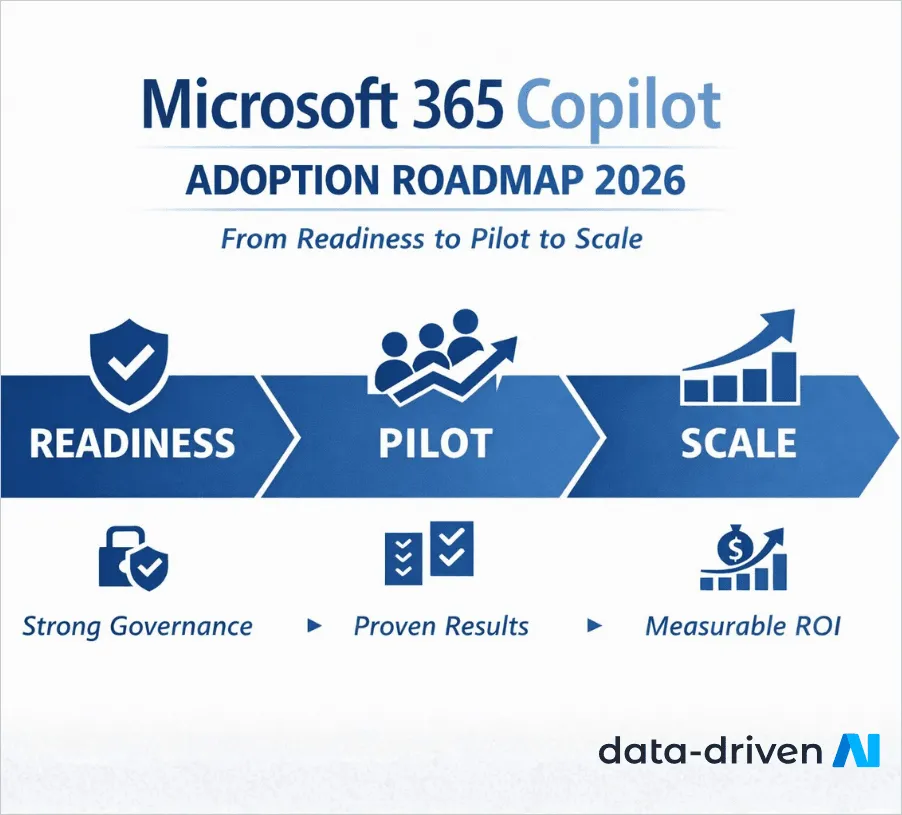
Microsoft 365 Copilot Adoption Roadmap
A phased enterprise roadmap for governance, readiness, pilot design, role-based training, support, measurement, and scale.
Copilot
Microsoft Copilot Studio Updates: What Changed
Review the dated Copilot Studio changes to knowledge sources, Azure AI integration, and maker controls before using them in a rollout.
Planning a small-business Copilot rollout?
Frame the first tasks, licensing, information access, review, and adoption measures.
'%3e%3cpath%20style='%20stroke:none;fill-rule:nonzero;fill:%230078d4;fill-opacity:1;'%20d='M%20130.835938%200.808594%20L%20246.300781%200.808594%20L%20126.433594%20355.867188%20C%20125.824219%20357.679688%20124.929688%20359.386719%20123.792969%20360.925781%20C%20122.65625%20362.46875%20121.285156%20363.816406%20119.726562%20364.933594%20C%20118.171875%20366.050781%20116.457031%20366.917969%20114.628906%20367.5%20C%20112.804688%20368.085938%20110.902344%20368.386719%20108.992188%20368.386719%20L%2019.128906%20368.386719%20C%2016.214844%20368.386719%2013.335938%20367.695312%2010.742188%20366.359375%20C%208.144531%20365.03125%205.902344%20363.097656%204.199219%20360.726562%20C%202.496094%20358.355469%201.382812%20355.613281%200.949219%20352.730469%20C%200.515625%20349.84375%200.78125%20346.894531%201.710938%20344.132812%20L%20113.386719%2013.320312%20C%20113.996094%2011.507812%20114.890625%209.800781%20116.03125%208.261719%20C%20117.167969%206.722656%20118.542969%205.371094%20120.09375%204.253906%20C%20121.648438%203.140625%20123.367188%202.273438%20125.191406%201.6875%20C%20127.015625%201.101562%20128.917969%200.800781%20130.832031%200.800781%20L%20130.832031%200.804688%20Z%20M%20130.835938%200.808594%20'%3e%3c/path%3e%3c/g%3e%3cg%20clip-rule='nonzero'%20clip-path='url(%23b1ce87f571)'%3e%3cpath%20style='%20stroke:none;fill-rule:nonzero;fill:%2302b2fe;fill-opacity:1;'%20d='M%20485.054688%200.800781%20L%20404.832031%200.800781%20C%20391.472656%200.800781%20380.636719%2011.625%20380.636719%2024.976562%20L%20380.636719%20316.339844%20L%20278.34375%2013.316406%20C%20278.03125%2012.417969%20277.679688%2011.5625%20277.210938%2010.703125%20C%20276.78125%209.84375%20276.273438%209.027344%20275.6875%208.246094%20C%20275.414062%207.855469%20275.101562%207.503906%20274.792969%207.15625%20C%20274.441406%206.765625%20274.128906%206.414062%20273.777344%206.101562%20C%20273.113281%205.402344%20272.410156%204.816406%20271.628906%204.269531%20C%20270.070312%203.140625%20268.351562%202.28125%20266.558594%201.695312%20C%20264.722656%201.113281%20262.8125%200.800781%20260.898438%200.800781%20L%20132.210938%200.800781%20C%20134.121094%200.800781%20136.03125%201.113281%20137.867188%201.695312%20C%20139.660156%202.28125%20141.378906%203.140625%20142.941406%204.269531%20C%20145.671875%206.21875%20147.816406%208.871094%20149.144531%2011.949219%20C%20149.222656%2012.144531%20149.300781%2012.300781%20149.339844%2012.496094%20C%20149.457031%2012.769531%20149.574219%2013.042969%20149.652344%2013.316406%20L%20261.328125%20344.128906%20C%20261.367188%20344.246094%20261.40625%20344.363281%20261.40625%20344.480469%20L%20265.269531%20355.863281%20C%20265.894531%20357.695312%20266.792969%20359.375%20267.921875%20360.933594%20C%20269.054688%20362.453125%20270.421875%20363.816406%20271.980469%20364.949219%20C%20273.542969%20366.039062%20275.257812%20366.898438%20277.054688%20367.484375%20C%20278.886719%20368.066406%20280.800781%20368.378906%20282.710938%20368.378906%20L%20404.660156%20368.378906%20C%20404.71875%20368.378906%20404.773438%20368.386719%20404.832031%20368.386719%20L%20485.054688%20368.386719%20C%20498.417969%20368.386719%20509.25%20357.566406%20509.25%20344.214844%20L%20509.25%2024.976562%20C%20509.25%2011.625%20498.417969%200.800781%20485.054688%200.800781%20Z%20M%20485.054688%200.800781%20'%3e%3c/path%3e%3c/g%3e%3c/g%3e%3c/svg%3e)










