Microsoft Fabric IQ · Preview guide
Fabric IQ gives agents shared business context
See how Fabric IQ connects ontology, graph, semantic models, and agents, plus what to verify while the workload evolves.
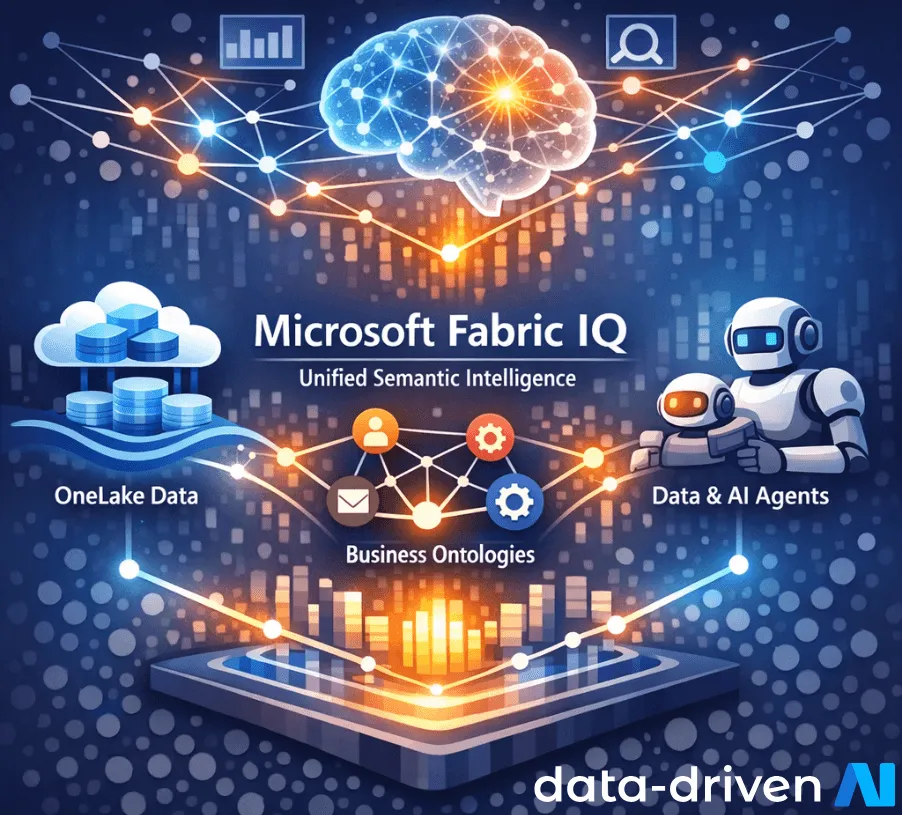
Microsoft Fabric IQ is a preview workload for adding shared business meaning to data in OneLake. Its ontology and graph experiences can give people, applications, and agents a common vocabulary for concepts such as customers, orders, assets, and shipments.
That context can reduce repeated translation between teams. It does not settle which definition is correct, who owns it, or whether an agent’s answer is safe to use.
Status check
Microsoft currently documents Fabric IQ and ontology as preview. Validate tenant, region, item, API, and support requirements before using them in a production dependency.
What Fabric IQ contains
The Fabric IQ documentation groups several related capabilities. Their roles are distinct:
- Ontology defines business entities, properties, relationships, and rules, then binds those definitions to source data.
- Graph in Microsoft Fabric stores and traverses connected instances, supporting relationship and impact analysis.
- Semantic models provide governed measures and dimensions for analytics.
- Data and operations agents can use this context to answer questions or respond to events within their configured boundaries.
Ontology and Graph are not interchangeable. Microsoft describes ontology as the vocabulary and semantic layer, while Graph provides graph storage and computation.
Where shared context helps
Consider two teams that both use the term “active customer.” One means an account with a purchase in 90 days. The other means a contract that has not expired. An AI assistant cannot safely resolve that conflict from column names alone.
An ontology can make the definitions, relationships, source mappings, and ownership visible. A consuming agent can then query published business concepts instead of guessing from raw tables.
The hard work remains organisational. Teams still need to agree on terms, exceptions, effective dates, and who can approve a change.
Build the first ontology around a decision
Avoid modelling the whole enterprise at once. Choose one question that crosses two or three domains, then define only the concepts needed to answer it.
For each concept, record:
| Definition field | Example question |
|---|---|
| Meaning | What counts as an order? |
| Identifier | Which field is stable across sources? |
| Source | Which system is authoritative? |
| Time | When does the definition take effect? |
| Owner | Who approves a change? |
| Access | Who may query the bound data? |
This produces a testable model rather than a vocabulary project with no consumer.
Preview limits to include in the plan
The ontology documentation notes that upstream changes require a refresh before they appear in the ontology item. Microsoft also documents current feature limits, including the absence of ontology versioning.
Before a pilot, verify:
- supported source and binding types
- refresh timing and failure behaviour
- permissions through every query path
- deployment and change-control options
- agent integration status and data exposure
- how the solution can be removed or rebuilt
Preview capabilities can change. Record the documentation date and rerun these checks at each release gate.
Evaluate the consumer, not only the model
A correct ontology does not guarantee a correct agent answer. Test the full path with known questions, ambiguous wording, missing data, and users with different permissions.
Measure whether the consumer cites the right source, applies the published definition, respects access, and asks for help when the evidence is insufficient. Those checks turn shared context into an accountable system design.
Microsoft Fabric
Synthetic Data for AI: Privacy, Utility, and Fabric
Learn where synthetic data helps AI teams, which privacy risks remain, and how Microsoft Fabric can support a governed workflow.
Microsoft Fabric
Microsoft Fabric Database Hub: An Early-Access Guide
A review of Database Hub's early-access scope, supported Microsoft databases, governance model, and operational boundaries.
Microsoft Fabric
Microsoft Fabric Pricing: Where Costs Accumulate
Map Fabric capacity, storage, refresh, and workload costs to owners before usage patterns turn into budget surprises.
Testing business context for Fabric agents?
Start with one decision, a small vocabulary, and clear evaluation criteria.
'%3e%3cpath%20style='%20stroke:none;fill-rule:nonzero;fill:%230078d4;fill-opacity:1;'%20d='M%20130.835938%200.808594%20L%20246.300781%200.808594%20L%20126.433594%20355.867188%20C%20125.824219%20357.679688%20124.929688%20359.386719%20123.792969%20360.925781%20C%20122.65625%20362.46875%20121.285156%20363.816406%20119.726562%20364.933594%20C%20118.171875%20366.050781%20116.457031%20366.917969%20114.628906%20367.5%20C%20112.804688%20368.085938%20110.902344%20368.386719%20108.992188%20368.386719%20L%2019.128906%20368.386719%20C%2016.214844%20368.386719%2013.335938%20367.695312%2010.742188%20366.359375%20C%208.144531%20365.03125%205.902344%20363.097656%204.199219%20360.726562%20C%202.496094%20358.355469%201.382812%20355.613281%200.949219%20352.730469%20C%200.515625%20349.84375%200.78125%20346.894531%201.710938%20344.132812%20L%20113.386719%2013.320312%20C%20113.996094%2011.507812%20114.890625%209.800781%20116.03125%208.261719%20C%20117.167969%206.722656%20118.542969%205.371094%20120.09375%204.253906%20C%20121.648438%203.140625%20123.367188%202.273438%20125.191406%201.6875%20C%20127.015625%201.101562%20128.917969%200.800781%20130.832031%200.800781%20L%20130.832031%200.804688%20Z%20M%20130.835938%200.808594%20'%3e%3c/path%3e%3c/g%3e%3cg%20clip-rule='nonzero'%20clip-path='url(%23b1ce87f571)'%3e%3cpath%20style='%20stroke:none;fill-rule:nonzero;fill:%2302b2fe;fill-opacity:1;'%20d='M%20485.054688%200.800781%20L%20404.832031%200.800781%20C%20391.472656%200.800781%20380.636719%2011.625%20380.636719%2024.976562%20L%20380.636719%20316.339844%20L%20278.34375%2013.316406%20C%20278.03125%2012.417969%20277.679688%2011.5625%20277.210938%2010.703125%20C%20276.78125%209.84375%20276.273438%209.027344%20275.6875%208.246094%20C%20275.414062%207.855469%20275.101562%207.503906%20274.792969%207.15625%20C%20274.441406%206.765625%20274.128906%206.414062%20273.777344%206.101562%20C%20273.113281%205.402344%20272.410156%204.816406%20271.628906%204.269531%20C%20270.070312%203.140625%20268.351562%202.28125%20266.558594%201.695312%20C%20264.722656%201.113281%20262.8125%200.800781%20260.898438%200.800781%20L%20132.210938%200.800781%20C%20134.121094%200.800781%20136.03125%201.113281%20137.867188%201.695312%20C%20139.660156%202.28125%20141.378906%203.140625%20142.941406%204.269531%20C%20145.671875%206.21875%20147.816406%208.871094%20149.144531%2011.949219%20C%20149.222656%2012.144531%20149.300781%2012.300781%20149.339844%2012.496094%20C%20149.457031%2012.769531%20149.574219%2013.042969%20149.652344%2013.316406%20L%20261.328125%20344.128906%20C%20261.367188%20344.246094%20261.40625%20344.363281%20261.40625%20344.480469%20L%20265.269531%20355.863281%20C%20265.894531%20357.695312%20266.792969%20359.375%20267.921875%20360.933594%20C%20269.054688%20362.453125%20270.421875%20363.816406%20271.980469%20364.949219%20C%20273.542969%20366.039062%20275.257812%20366.898438%20277.054688%20367.484375%20C%20278.886719%20368.066406%20280.800781%20368.378906%20282.710938%20368.378906%20L%20404.660156%20368.378906%20C%20404.71875%20368.378906%20404.773438%20368.386719%20404.832031%20368.386719%20L%20485.054688%20368.386719%20C%20498.417969%20368.386719%20509.25%20357.566406%20509.25%20344.214844%20L%20509.25%2024.976562%20C%20509.25%2011.625%20498.417969%200.800781%20485.054688%200.800781%20Z%20M%20485.054688%200.800781%20'%3e%3c/path%3e%3c/g%3e%3c/g%3e%3c/svg%3e)










